
Professional text-to-speech, speech-to-text, and AI video dubbing software. Access 600+ voices in 80+ languages with studio-quality output.
Listen to our premium AI voices from around the world. Crystal clear, natural-sounding speech.
DragonHD - Premium Quality
Most Popular Voice
DragonHD - Premium Quality
From text-to-speech conversion to AI-powered video dubbing, Speech Studio delivers professional results with ease.
Convert any text into natural-sounding speech with 600+ AI voices. Support for SSML, PDF import, and unlimited audio length.
Learn more →Choose from 603 voices across 80 languages. Filter by gender, age, speaking style, personality, and more.
Learn more →Transcribe audio in real-time from your microphone or audio files. Support for multiple languages and dialects.
Learn more →Automatically dub videos into any language with AI. Add subtitles and maintain lip-sync quality.
Learn more →Access all your previous conversions. Search, manage, and re-export your audio files anytime.
Learn more →Connect your own Azure account for free monthly credits. No subscription fees, pay only for what you use.
Learn more →Simply write or paste your text, select your preferred voice, and click convert. It's that easy to create professional audio content.
Audio plays automatically after conversion so you can iterate quickly
Choose from Silent, Soft, Medium, Loud, or X-Loud output levels
Fine-tune with X-Low, Low, Medium, High, or X-High pitch settings
Adjust rate from X-Slow to X-Fast for perfect pacing
Choose from 603 premium voices across 80 languages. Filter by gender, type, age group, and capabilities to find your ideal speaker.
Total Voices
Languages
Locales
For the same language, choose different accents - English from USA, Canada, India, UK, Australia, and more. Every voice supports SSML for maximum flexibility.
Choose the perfect emotional tone and speaking style for your content
Pre-configured voice settings optimized for specific use cases
Natural narration for long-form content
Engaging conversational tones
Clear educational delivery
Professional broadcast style
Character voices and narration
Upbeat promotional content
Soothing, relaxing tones
Trendy, engaging voices
Take full control of your audio output with Speech Synthesis Markup Language. Mix voices, add pauses, control emphasis, and create professional productions.
No need to copy-paste text. Import your files directly and convert to speech instantly.
Import PDF documents and automatically extract text for conversion to natural speech.
Support for Microsoft Word documents. Import your .doc and .docx files seamlessly.
Plain text files are supported too. Simple drag and drop to start converting.
Access Microsoft Azure's world-class neural voices with unprecedented variety and quality.
Total Voices
Languages
Speaking Styles
Premium Quality
Explore the intuitive interface designed for productivity and ease of use.
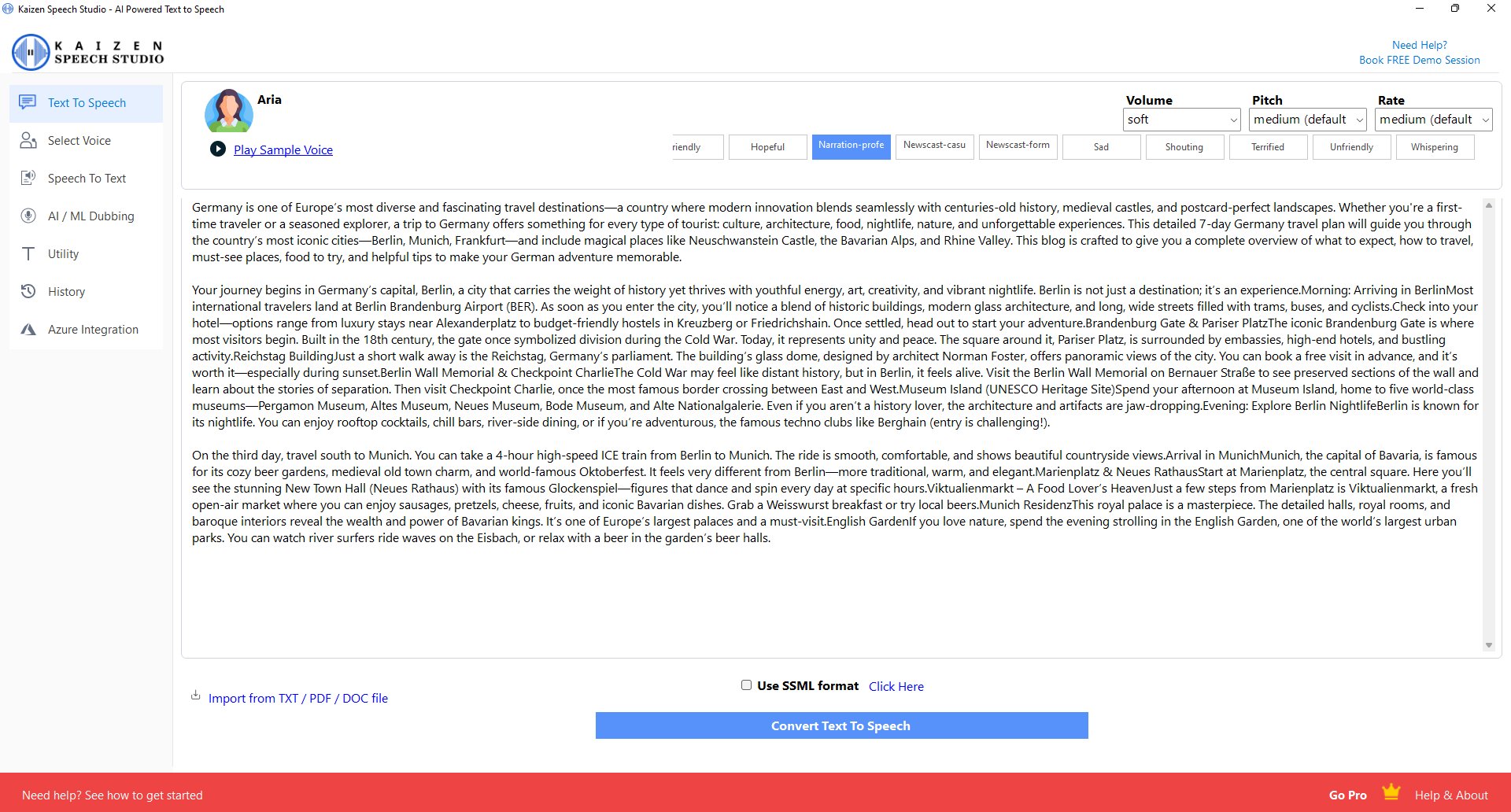
Clean, intuitive design for converting text to natural speech with full control over voice settings.
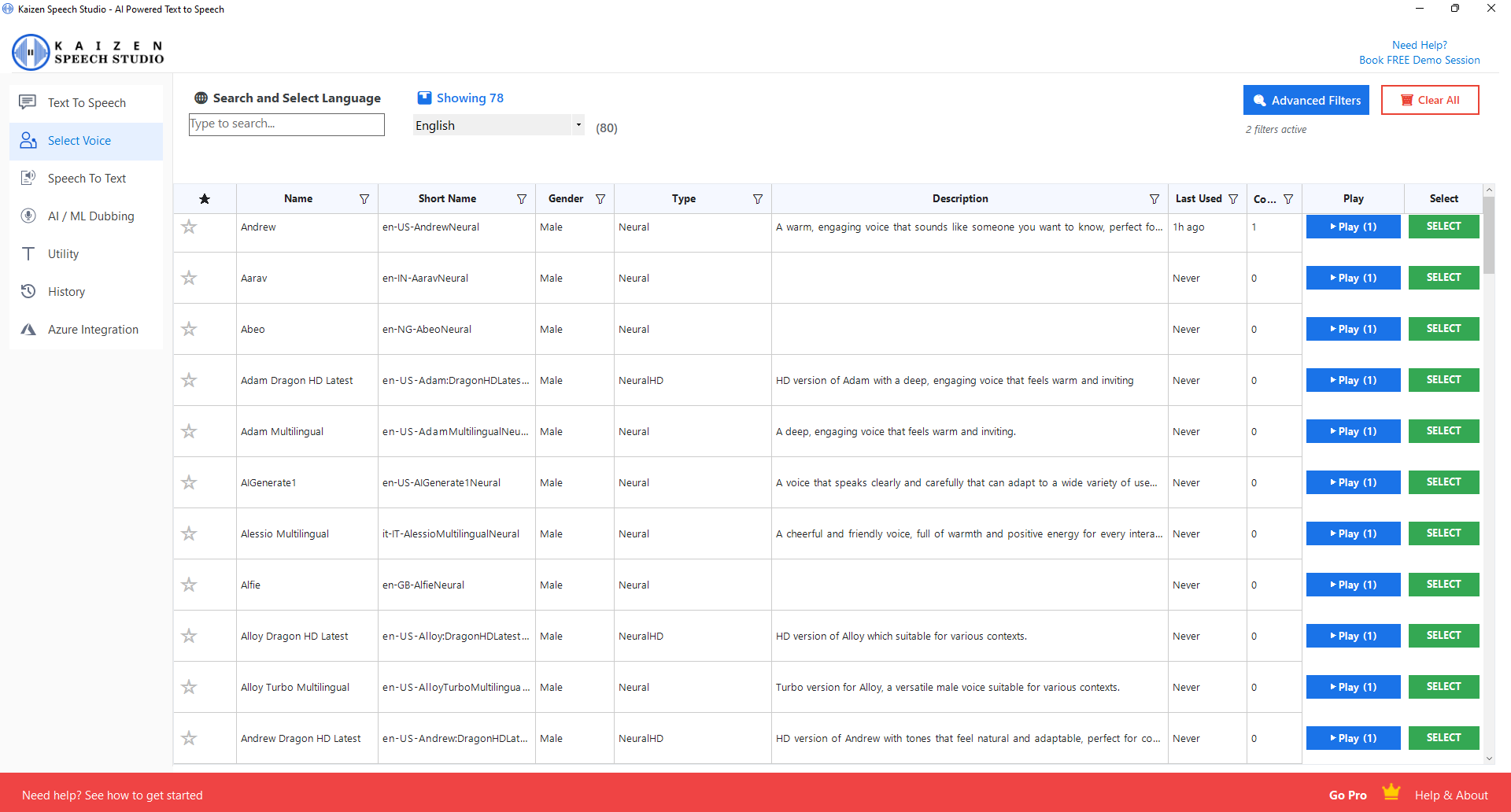
Browse and filter 603 voices with advanced filtering options for the perfect match.
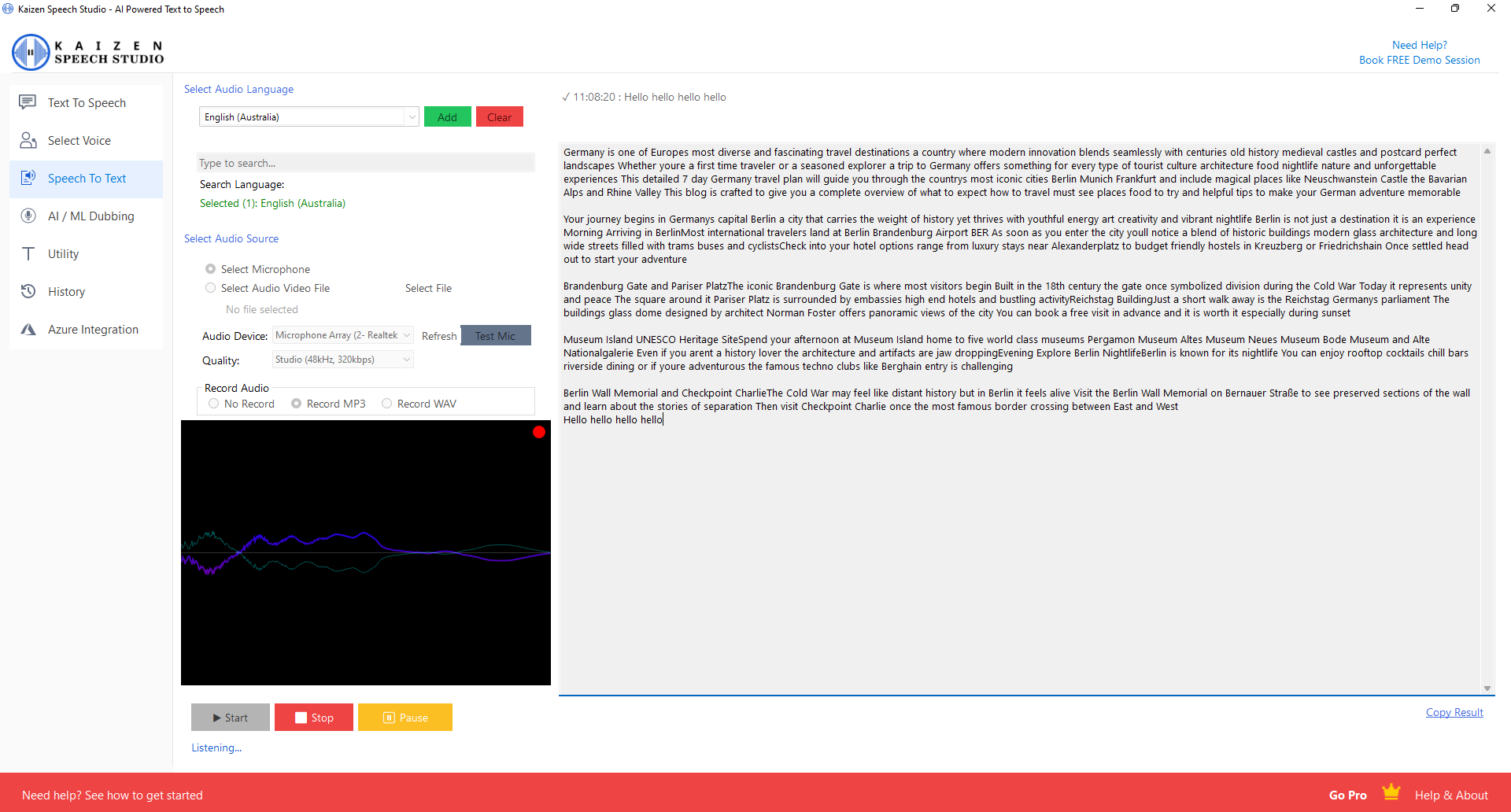
Real-time transcription with audio visualization and recording capabilities.
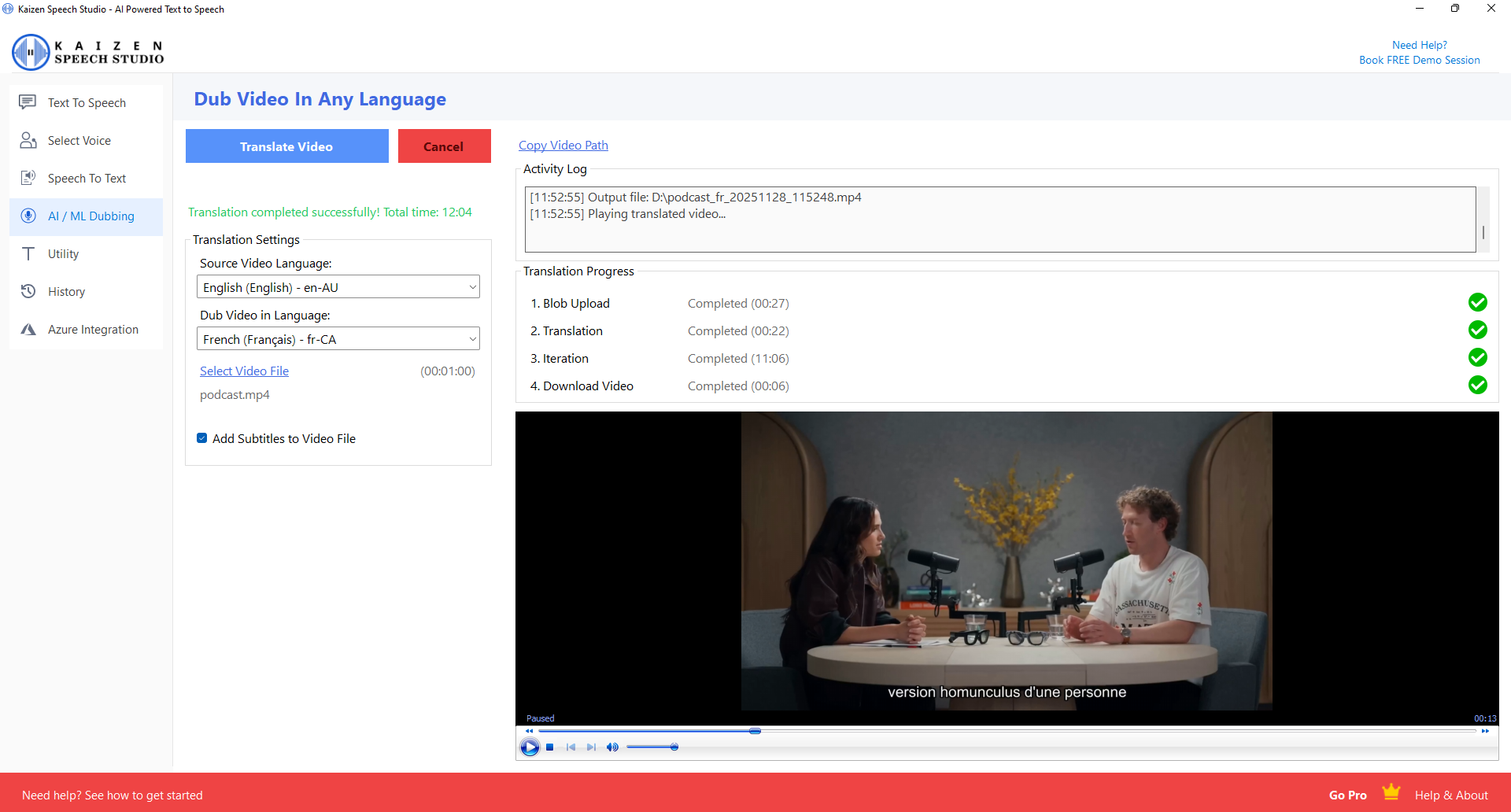
Translate and dub videos with progress tracking and built-in video player.
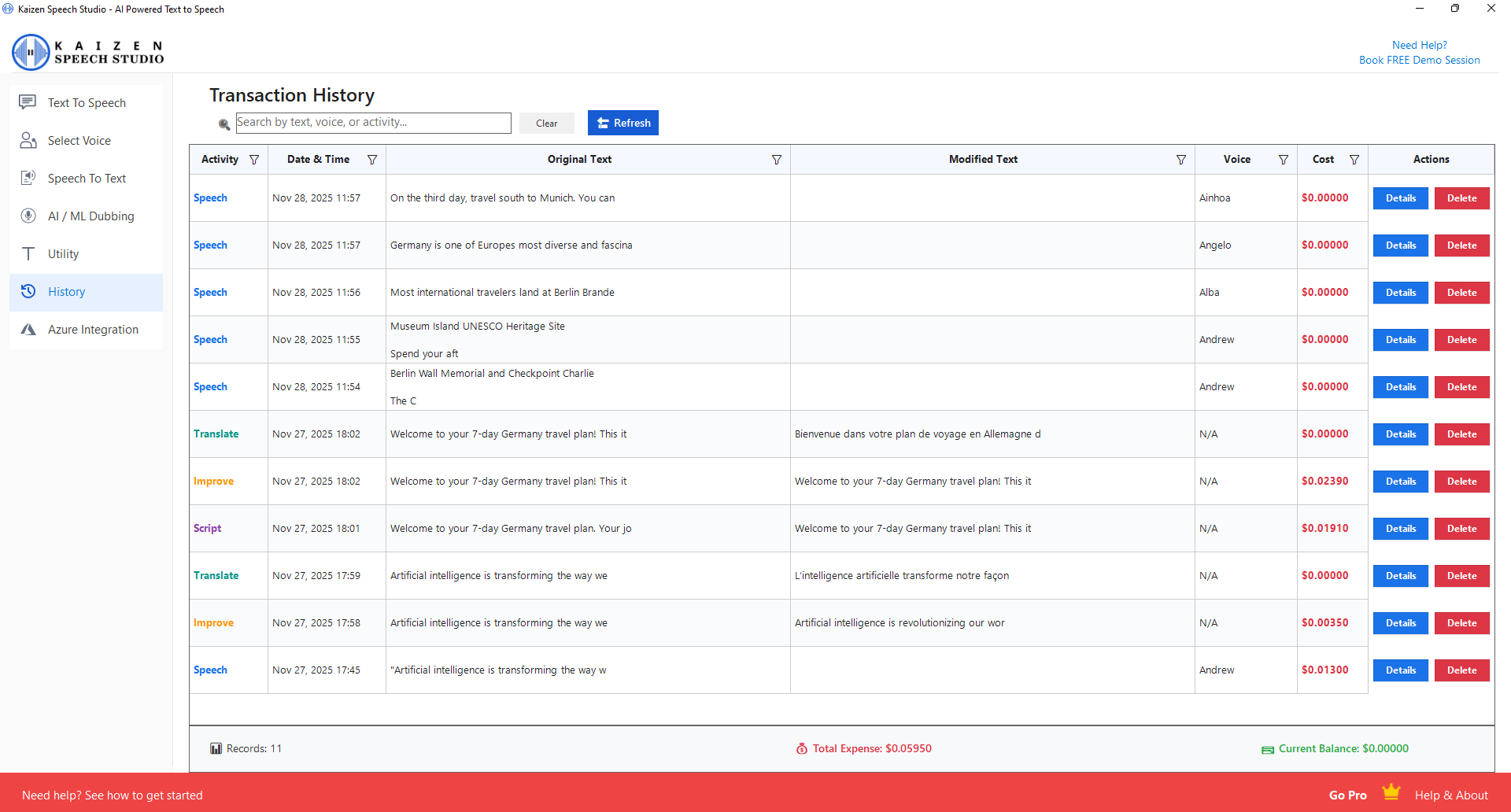
Access all your previous conversions with search, details, and export options.
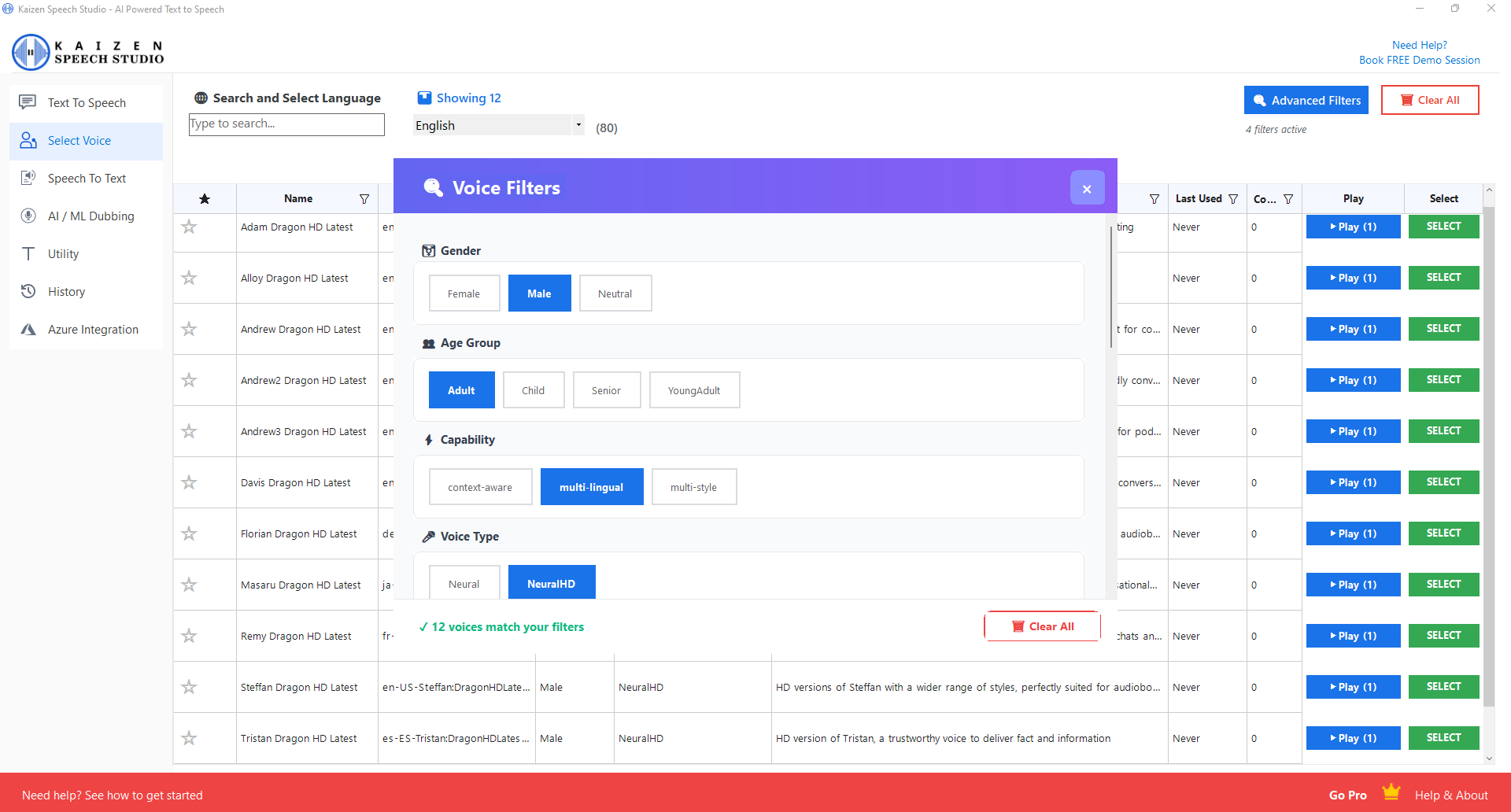
Filter voices by gender, age, speaking style, scenario, and personality traits.
Join thousands of satisfied customers creating amazing audio content
"Kaizen Speech Studio has transformed how I create audiobooks. The voice quality is incredible, and being able to create hour-long audio files is a game-changer!"
"The SSML support allows me to create professional podcast intros with multiple voices. It's like having a full voice cast at my fingertips!"
"We use Kaizen Speech for all our e-learning content. The variety of languages and accents helps us reach a global audience effortlessly."
"The Azure integration saved us thousands of dollars. We get free monthly credits and only pay for what we use beyond that. Brilliant!"
"Video dubbing feature is incredible. I can now localize my YouTube videos into multiple languages without hiring voice actors."
"The 50+ speaking styles are perfect for creating character voices in our indie games. Cheerful, angry, whisper - it has everything!"
Choose the plan that works best for you. Start with a 7-day free PRO trial.
Perfect for trying out all features
One-time payment, forever access
Compare our pricing with other popular text-to-speech services and see the difference.
| Feature / Service | Other Services | Kaizen Speech Studio |
|---|---|---|
| Monthly Subscription | $15 - $99/month | $0/month with Azure |
| Text-to-Speech (per month) | Limited characters or minutes | 500K chars FREE via Azure |
| Speech-to-Text (per month) | $0.006 - $0.024/minute | 5 hours FREE via Azure |
| Video Dubbing (per hour) | $50 - $200/hour | $20/hour via Azure |
| Number of Voices | 50 - 200 voices | 603 voices |
| Audio Length Limit | 5 - 10 minutes | Unlimited |
| Local Storage | Cloud only (extra fees) | Local + Always accessible |
By using your own Azure account with our software, you get generous free tiers every month and pay only for what you use beyond that. No recurring subscription fees!
Connect your Microsoft Azure account and take advantage of their generous free tier offerings. We'll help you set everything up - no technical expertise required.
Pay only for what you use beyond the free tier. No monthly commitments.
All processing goes directly through your Azure account. We never store your data.
Our support team will guide you through the Azure key setup process.
Got questions? We've got answers.
Every new user gets a 7-day PRO trial with full access to all features. Additionally, you receive $1 in free credits for Text-to-Speech (approximately 30 minutes of audio) to test the service without needing Azure keys.
For basic Text-to-Speech, you can use our included credits. For Speech-to-Text, AI Video Dubbing, and to access Azure's free monthly tier, you'll need to connect your own Azure account. We provide full setup assistance.
No! Unlike many competitors that limit you to 5-10 minutes, Kaizen Speech Studio has no time restrictions. You can create audio files of 1 hour or more in a single conversion.
For text import: PDF, TXT, and DOC files. For audio export: MP3 and WAV formats. For video dubbing: MP4, MKV, AVI, and other common video formats.
Yes! Both the 1-Year and Lifetime licenses include commercial usage rights. You can use the generated audio for YouTube videos, podcasts, audiobooks, advertisements, and more.
Kaizen Speech Studio is currently available for Windows (Windows 10 and above). It's built using C# and WinForms for optimal performance and native Windows integration.
Pay once ($99) and own the software forever. You'll receive all future updates at no additional cost. This is a one-time payment with no recurring fees.
SSML (Speech Synthesis Markup Language) allows advanced control like mixing multiple voices, adding pauses, and fine-tuning pronunciation. It's optional - you can create great audio without it, but it's there for power users.
Join thousands of content creators, educators, and businesses using Kaizen Speech Studio. Start your free 7-day trial today!
Your download will begin shortly. Please wait.